Know what’s coming.
And from where.
Alerta listens for cars, bikes, horns and your name, shows where each sound is coming from, and taps you through your iPhone. Built for Deaf and hard-of-hearing runners and cyclists.
iPhone 16 or newer · iOS 27 · Free on TestFlight
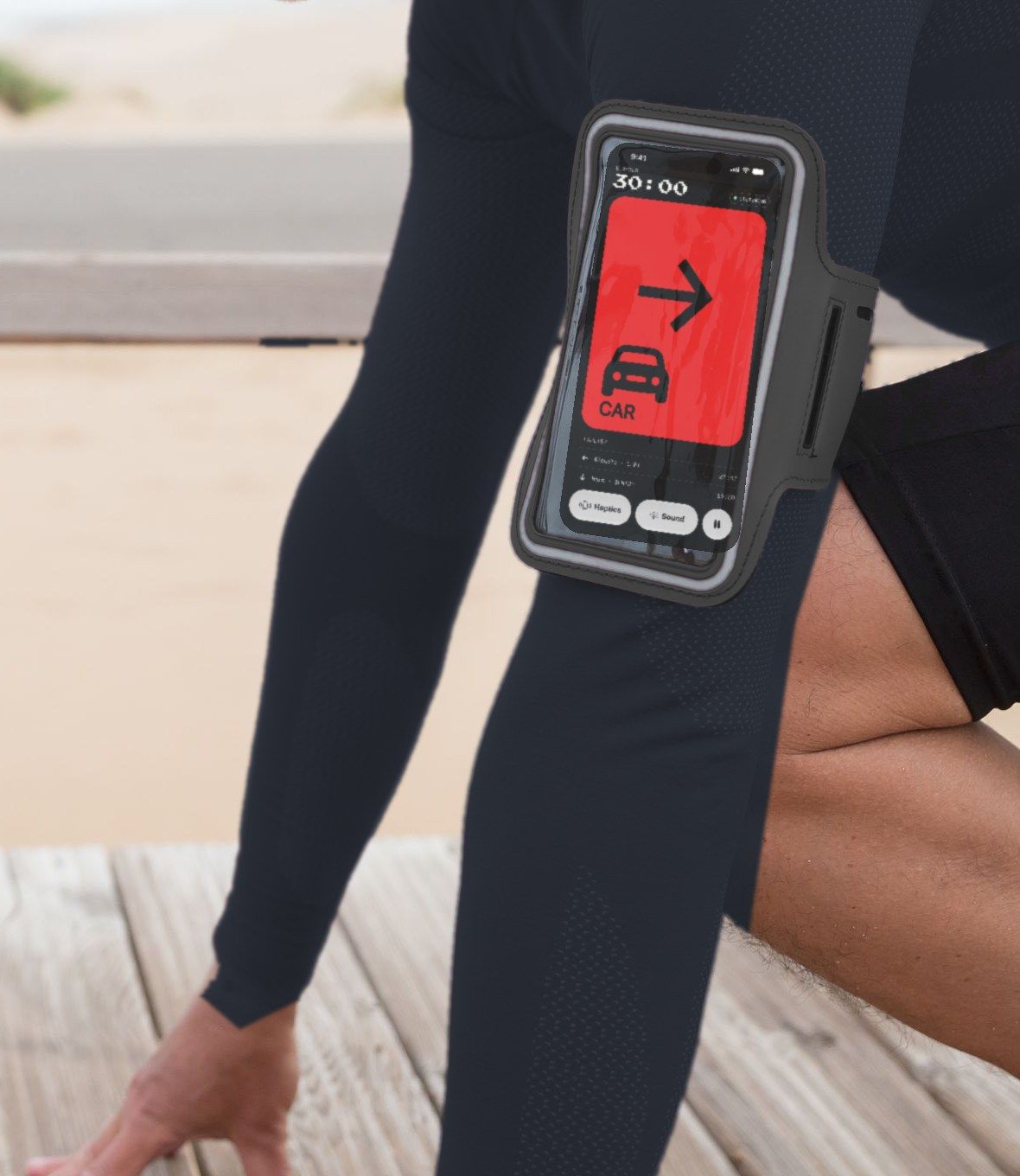
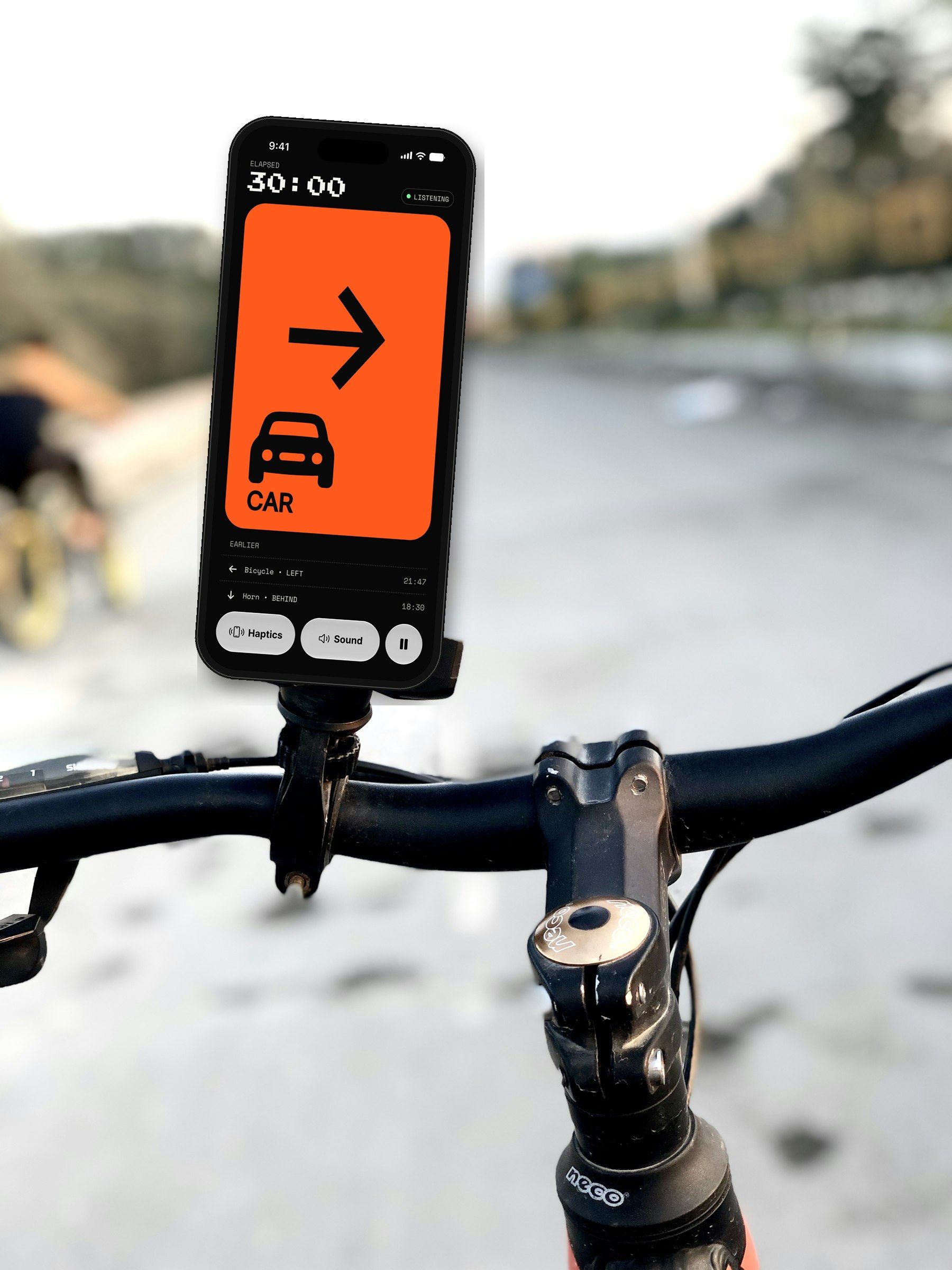
The car youcan’t hear.
On a road, most warnings arrive as sound. Alerta turns that sound into something you feel and see — and tells you where it is.
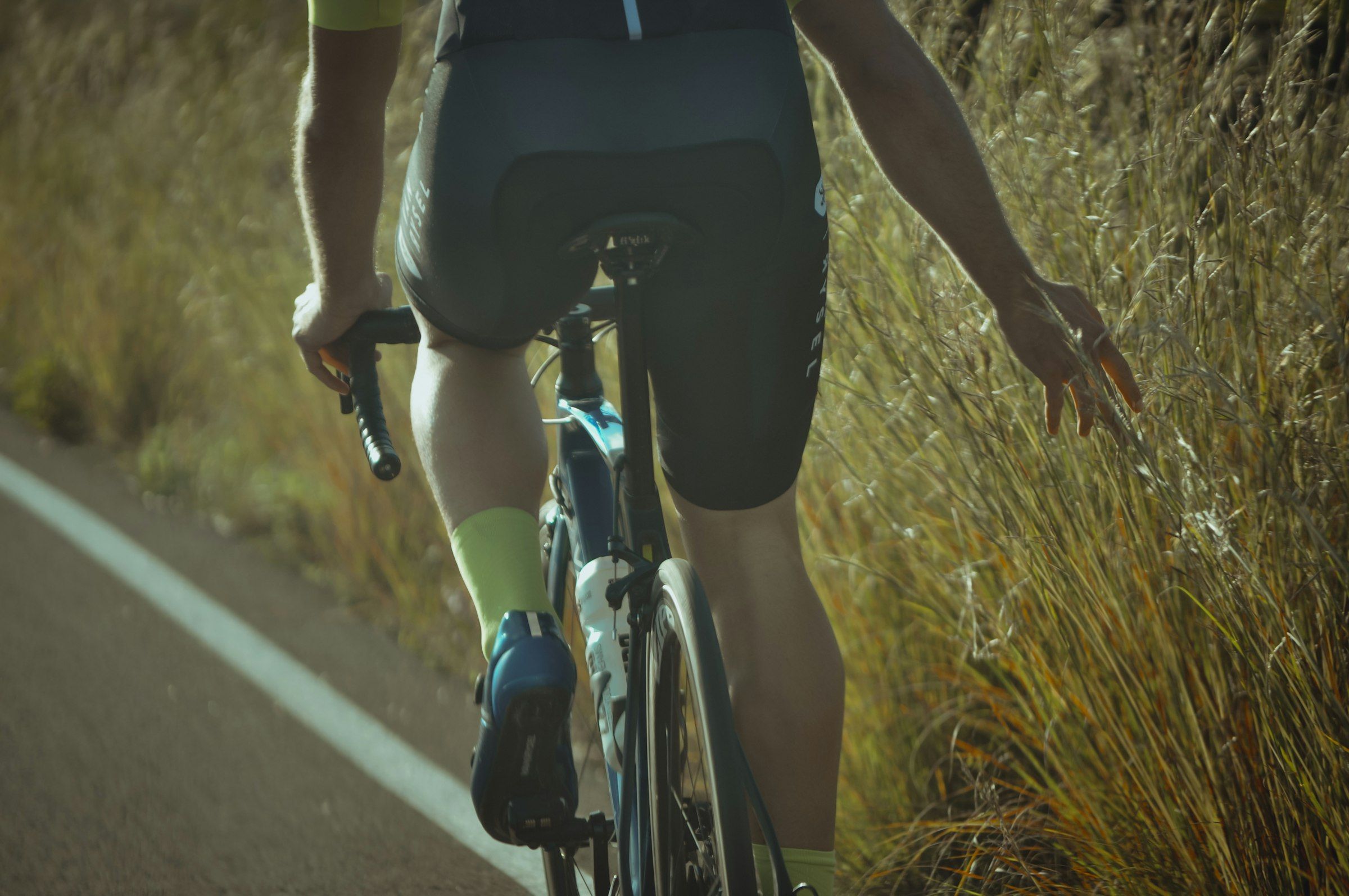
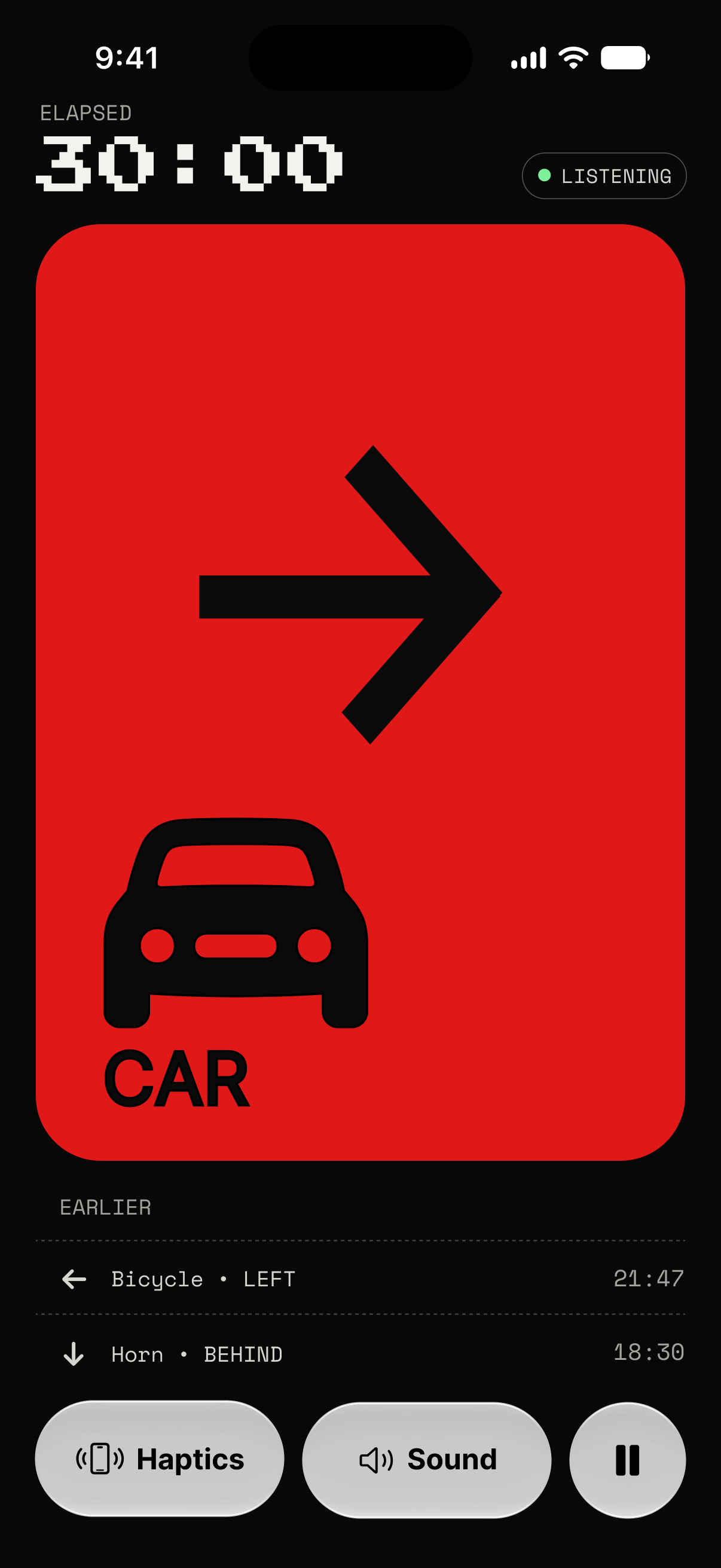
A car is closing in, four metres behind you on the left. Nothing tells you.Your phone taps twice. Alerta shows the car, how close, and which side.
A cyclist rides at the edge of a road while a car approaches from behind on the left. Without Alerta, nothing warns them. With Alerta, their phone taps twice and shows: car, behind left, four metres.
Three steps.One screen that changes.
Set it going before you head out. After that there is nothing to watch or tap — it comes to you.
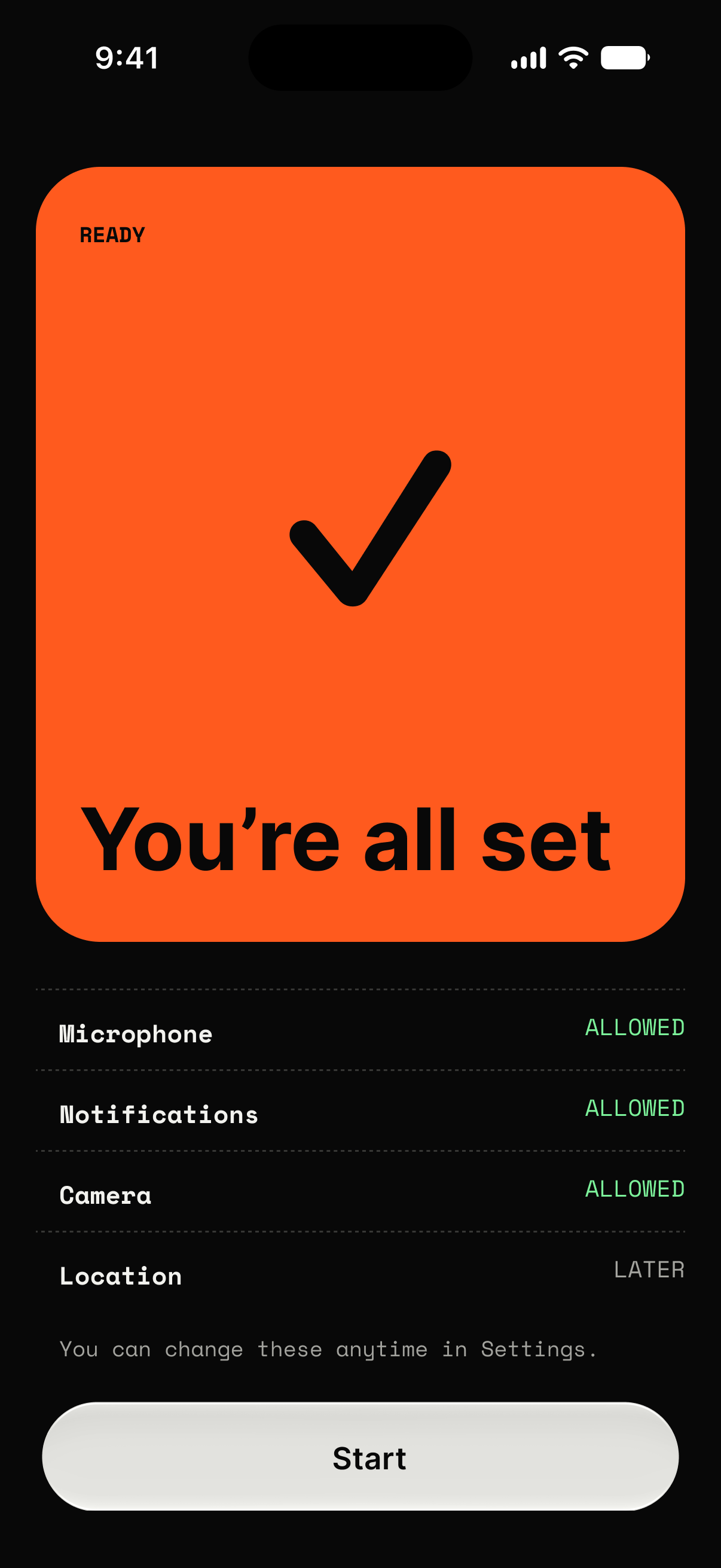
Tap Start.
No account needed. When Home says you’re all set, one button starts your run or ride.
Pocket it, mic out.
A three-second countdown gives you time to pocket it face-out or hold it in your hand. Keep the microphones uncovered.
Feel it. Then see it.
Your iPhone taps, harder as it gets closer. One glance shows what it is and where it’s coming from.
It hears the road.And the people on it.
Thirteen sounds, each told apart, placed around you and graded by how close it is. Including the two most apps forget.
PEOPLE
TRAFFIC & MORE
Add your name in the app. When someone calls it, you feel it and see which side.
Shouted warnings like “watch out” or “careful” are always a high alert.
A raised voice nearby, placed around you.
Always urgent.
Cars, vans, trucks, buses and motorbikes.
Car horns and air horns.
Police, ambulance and fire engines. Always urgent.
Including bicycle bells.
The reversing beeps of vans and trucks.
Always urgent.
Train horns and whistles. Always urgent.
Barking or growling.
With the screen off it can’t always name the sound, but it still tells you something is getting closer.
Closer meansstronger.
Each distance has its own rhythm, so you know how close it is before you look. Prefer your own? Record it in the app.
FAR
Heartbeat · 30%
Double beat
CLOSE
Rapid · 50%
Quick taps
VERY CLOSE
S.O.S. · 90%
3 short, 3 long, 3 short
Even on silent.
Haptics always play, whatever your ring switch says.
Screen off, pocketed.
It keeps listening and tapping with the phone locked.
Apple Watch, coming soon.
Alerts will tap your wrist too, for when the phone is out of reach.
On your Lock Screen.
A Live Activity shows what it is and where, at a glance.
Private by design
An app that listens all the time should tell you exactly what happens to what it hears. Here it is.
Nothing recorded.
Microphone
All audio is analysed on your iPhone. Nothing is recorded or uploaded.
Speech stays here.
Your name & warnings
Speech is recognised on this iPhone only. Nothing is recorded or sent anywhere.
No account.
Sign-in
Continue as guest. Sign in with Apple only if you want your sessions synced.
No marketing.
Notifications
Only for hazards. Nothing promotional, ever.
Location, briefly.
Location
Used only while a session runs. If you add emergency contacts, they get a text with your location when it’s needed.
For the people who worry
If something goes wrong,they’ll know where you are.
Pick the people who’d want to know. They get a text with your live location. No app needed.
On your iPhone
Mum
Text Mum when
SOS. Sam asked for help on a run. Live location below. Sent by Alerta.
Check in? Something very close keeps coming up on Sam’s run. Live location below. Sent by Alerta.
Running late. Sam’s run has gone 30 minutes over. Live location below. Sent by Alerta.
Contacts come from your iPhone’s Contacts. Alerts go out while you’re signed in with Apple.
Why we built it
Running and ridingshouldn’t depend onhearing what’s coming.
We started with one question: how do runners and cyclists who can’t rely on hearing stay safe and aware in public spaces?
Most warnings out there are sounds: a horn, a bell, a siren, someone calling your name. Alerta listens for them, works out what each one is and which way it’s coming from, and turns it into cues you can feel and see. A tap grows stronger as the sound gets closer, and an alert shows what it is and where. You choose how it feels.
Alerta is in beta because it isn’t finished. We want to shape it with the people it’s for: what it should listen for, how strong the taps should feel, and what it gets wrong. If you try it, tell us what it missed.
The Alerta team
Wahyu, Alan, Andi, Vincent, Keiko and Glory
With thanks to Alice, Kyky and Dimas, who helped start Alerta.
FAQ
Questions before you run.
- Which iPhones work?
- We support iPhone 16 or newer, on iOS 27. Alerta uses their spatial microphones to tell which way a sound is coming from.
- Can it miss a sound?
- Yes. Wind, loud music or a covered microphone can hide a sound. It’s an extra signal, not a replacement for looking around.
- Is it listening to my conversations?
- No. It listens on your iPhone for traffic, your name and warning words like “watch out”. Nothing is recorded or sent.
- Does it work with the screen locked?
- Yes. Start a session, lock your phone and put it away. It keeps listening and tapping.
- Do I need an Apple Watch?
- No. Alerta works on iPhone alone. Apple Watch support is coming.
- How much battery does it use?
- More than a usual workout app, because it’s always listening. We’re measuring it in the beta and will post real numbers here.
- Which languages does it speak?
- English and Indonesian.
- Is it free?
- Yes. The beta is free on TestFlight.
Still unsure? Join the beta and ask us through TestFlight’s feedback.
Try Alerta on your next run.
It’s free. Start a session, pocket your phone, and go.
iPhone 16 or newer · iOS 27 · Free on TestFlight